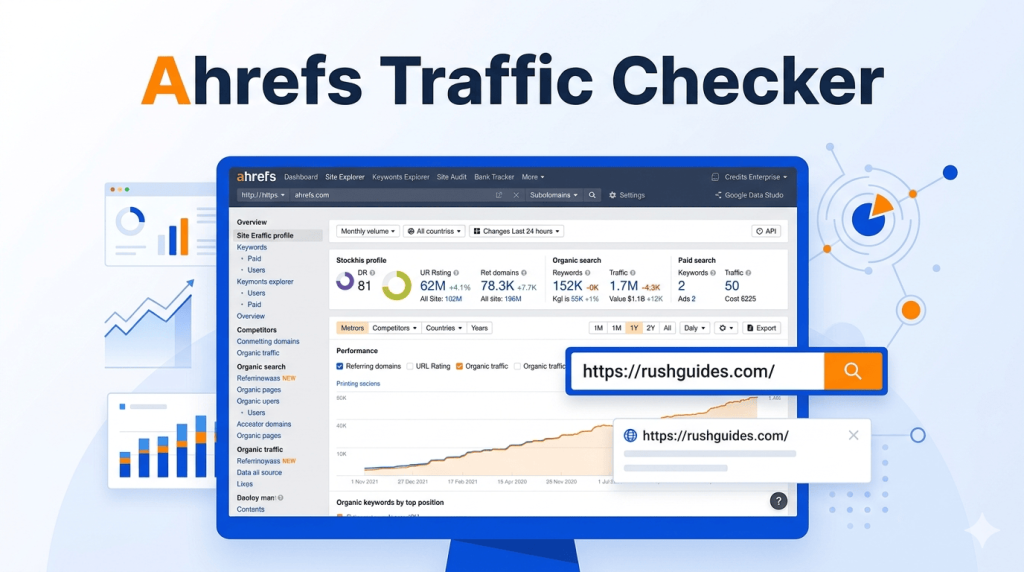
If you’ve typed a competitor’s URL into a search bar and wished you could see exactly how much traffic they’re getting, you’ve probably already landed on Ahrefs. The Ahrefs traffic checker is one of the most referenced tools in SEO, and for good reason. It pulls organic traffic estimates, keyword data, traffic value, and traffic potential into one place, whether you’re analysing your own site or spying on a competitor’s best pages.
The problem most people run into? They look at the numbers without really understanding what they’re measuring. Traffic value isn’t the same as traffic volume. Traffic potential isn’t the same as search volume. Getting these mixed up leads to bad decisions: targeting the wrong keywords, misreading competitor performance, or dismissing a page that’s actually a goldmine.
This guide breaks all of it down, so you know what you’re actually looking at.
What the Ahrefs Traffic Checker Actually Is
Ahrefs offers a free traffic checker that lets you see organic traffic estimates for any website or page, with no account required and no limit on how many times you can use it. You enter a domain or URL, and it spits out a snapshot: estimated monthly organic visits, traffic value in USD, top countries sending traffic, top pages, and top ranking keywords.
That free version is a lighter preview. The full power lives inside Site Explorer, which is part of Ahrefs’ paid toolkit. Inside Site Explorer, you can see things like how many organic keywords a site ranks for and how many organic monthly visits they receive from Google, plus the ability to see those keywords broken down and the pages driving the most traffic.
Originally built as a backlink checker, Ahrefs has grown into a full suite. Its organic traffic estimates are well-regarded in the SEO world because they’re based on click-through curve data relative to keyword rankings.
One thing worth knowing upfront: Ahrefs’ organic traffic figures are estimations. They don’t, and can’t, show you exactly how much traffic a website gets, but they work well for comparison. They’re excellent for learning whether a competitor’s site gets more or less organic traffic than your own.
How Ahrefs Calculates Organic Traffic
The methodology matters here, because it explains why the numbers sometimes differ from what you’d see in Google Analytics or Search Console.
Ahrefs finds all the keywords a target site ranks for in the top 100 organic results, then estimates the traffic from each keyword based on its ranking position, monthly search volume, and Ahrefs’ own estimated click-through rate (CTR) for that position. Those individual estimates are then summed up.
There are four built-in reasons why the numbers won’t match internal analytics exactly. Ahrefs doesn’t track all the keywords a website ranks for. It tracks the most popular ones. Beyond that, search volumes are approximations, ranking positions change constantly, and CTR models are just that: models. Any other tool doing the same thing faces the same limitations.
The takeaway: don’t use Ahrefs traffic numbers as your absolute source of truth for your own site. That’s what Google Analytics or Search Console is for. Use Ahrefs when you need to compare sites, spot trends, or understand what’s working for competitors.
Ahrefs Organic Traffic Value: What That Number Is Telling You
This metric confuses a lot of people the first time they see it, especially when a site is showing, say, $180,000 in traffic value but only a fraction of that in actual revenue. They’re not the same thing.
Organic traffic value is the equivalent monthly cost of the traffic a website gets organically, if that same traffic had to be bought through paid search ads (PPC) instead. Ahrefs calculates it by multiplying the monthly organic traffic of each keyword at its ranking position by that keyword’s CPC value, then adding up those costs across all keywords the site ranks for.
Think of it as how much money a site has effectively saved by ranking organically instead of paying for that traffic. It gives you a sense of how valuable a domain’s keyword profile is.
In practice, this is one of the most useful numbers in competitive research. If a competitor has a high traffic value relative to their traffic volume, it means they’re ranking for commercially valuable keywords. That’s the sweet spot most sites want to be in.
Viewing traffic value helps you identify which keywords drive lucrative organic traffic, so you can align your content strategy with what actually brings in revenue-oriented visitors.
Ahrefs Traffic Potential: Why It Beats Search Volume for Keyword Research
Search volume is the metric most beginners start with. It’s intuitive: a keyword searched 10,000 times a month feels like a better bet than one searched 500 times. But search volume alone is a misleading guide, and Ahrefs’ Traffic Potential metric exists specifically to fix that.
Traffic Potential shows the sum of organic traffic that the number-one ranking page for your target keyword receives from all the keywords it ranks for, not just the one you’re targeting.
Here’s why that matters. When a page ranks number one for a keyword, it typically ranks for hundreds of related keywords simultaneously. Since a page can rank for hundreds of keywords and get traffic from all of them, traffic potential is often a better metric to consider than search volume alone.
Ahrefs gives a concrete example of this in their own documentation. The keyword “submit website to search engines” has a traffic potential of 6,200, despite a search volume of only 500. That gap represents all the related queries the number-one page also captures.
Ahrefs estimates traffic potential by looking at the organic search traffic of the current number-one ranking result for the parent topic keyword, calculated based on the keywords that page ranks for and its positions in the search results.
For anyone doing keyword research, the practical implication is straightforward. Keywords with modest search volume frequently outperform high-volume terms when traffic potential reveals the full picture. Look for keywords where traffic potential significantly exceeds search volume.
Ahrefs itself notes that its Traffic Potential metric predicts organic search traffic much more accurately than search volume alone, because it accounts for user behaviour patterns and click-through rates.
How to Use the Ahrefs Traffic Checker for Competitor Research
This is where the tool pays for itself. Knowing your competitor’s traffic number is mildly interesting. Understanding which pages drive it and what keywords power those pages is where real opportunities show up.
The process inside Site Explorer is straightforward:
- Enter your competitor’s domain into Site Explorer.
- Check the overview for their total organic traffic and traffic value.
- Click into the Top Pages report to see which URLs are driving the most visits.
- Click into any page to see which keywords that specific URL ranks for.
- Run a Content Gap analysis to find keywords your competitor ranks for that you don’t.
Ahrefs also has a Batch Analysis feature available on paid plans that lets you check estimated traffic for up to 200 websites at once and export the results, which saves significant time for large-scale competitor research.
There’s also a Content Gap feature, which shows keywords competitors rank for that your site doesn’t. It’s one of the most practical ways to find new content opportunities backed by real traffic data.
What Ahrefs Web Traffic Data Covers Geographically
Ahrefs tracks organic traffic data across 171 countries, and you can filter results by any country to see geo-specific performance. This is useful if you’re targeting a specific market and want to understand how a competitor performs there specifically, rather than globally.
The free traffic checker gives you the top five countries by traffic share. The paid Site Explorer shows full country breakdowns, historical trends, and the ability to filter keyword reports by location.
Ahrefs Pricing: What You Get at Each Level
Pricing has shifted around a fair amount over the past few years. Notable changes include the removal of the $7 trial in 2020, plan restructuring in 2023, usage-based overage fees introduced in 2024, and the Enterprise tier rising to $14,990 per year in 2025.
As of 2026, here’s the rough structure:
| Plan | Starting Price | Key Traffic Features |
| Free (Webmaster Tools) | $0 | Limited Site Explorer for verified sites |
| Starter | ~$29/month | 100 credits, basic Site Explorer |
| Lite | ~$99/month | Full Site Explorer, Keywords Explorer, Rank Tracker |
| Standard | ~$199/month | Content Explorer, 6 months history, batch analysis |
| Advanced | ~$399/month | 2 years history, additional reporting tools |
Pricing varies and may change. Check ahrefs.com for current rates.
The free plan provides lifetime access to six core tools including Site Explorer, Site Audit, Website Analytics, and the Ahrefs SEO Toolbar, but with significant limitations. G2 reviewers note the free tier is useful for basic site auditing and backlink monitoring on verified properties.
If you’re primarily using Ahrefs for competitor traffic analysis rather than managing your own site’s SEO, the Lite plan is the entry point that makes sense. The Standard plan’s Content Explorer and batch analysis become worthwhile when you’re managing multiple sites or doing agency-level research.
According to Ahrefs, marketers at 44% of Fortune 500 companies use the platform. That’s not a small endorsement.
How Accurate Is the Ahrefs Traffic Checker?
For competitor tools generally, accuracy tends to be within 20 to 30% of actual figures for medium-to-large sites. Smaller sites, niche blogs, or new domains with fewer ranking keywords will show higher variance.
Ahrefs’ own internal study found that their search volume estimates were roughly accurate for 60% of studied keywords when compared to actual impressions in Google Search Console, compared to 45% accuracy for Google Keyword Planner’s estimates.
The honest answer: no third-party tool can give you exact traffic numbers for a site you don’t own. Only the site owner with access to their own analytics knows the real figure. What Ahrefs gives you is directionally accurate, consistent enough to compare sites against each other, and reliable for spotting trends over time. That’s exactly what competitive research needs.
FAQ
Can I check any website’s traffic with Ahrefs for free? Yes. Ahrefs’ free traffic checker works on any publicly accessible website, with no account required and no limit on the number of checks. The free version shows an overview including traffic estimates, traffic value, top countries, top pages, and top keywords.
Why does Ahrefs show different traffic numbers than Google Analytics? Ahrefs calculates organic traffic based on the keywords it sees a website ranking for plus estimated search volumes. Google Analytics tracks actual user sessions, including traffic from keywords Ahrefs doesn’t have in its database, direct visits, and sources beyond organic search. The two tools are measuring different things.
What’s the difference between traffic potential and search volume in Ahrefs? Search volume tells you how often a single keyword is searched per month. Traffic potential shows how much organic search traffic you could get if you rank number one for a keyword’s parent topic, based on all the traffic the current number-one result receives from every keyword it ranks for. Traffic potential is almost always the more useful number for content decisions.
Is Ahrefs’ organic traffic value the actual revenue a site earns? No. Organic traffic value is the estimated cost you’d pay in Google Ads to buy the same traffic the site currently gets for free through organic rankings. It says nothing directly about what that traffic earns in revenue.
Does Ahrefs track traffic from countries outside the US? Yes, Ahrefs tracks data across 171 countries and lets you filter results by specific country.
The Ahrefs traffic checker is one of those tools that rewards people who actually understand what the metrics mean. Traffic value, traffic potential, and organic traffic are three distinct numbers telling three distinct stories. Used together, they give you a genuinely useful picture of how well any website is performing in search and which opportunities are worth going after. That’s worth spending time with.
Read More About: ABS Brightstar Login